Creating Templates
Templates are reusable document structures written in Markdown with dynamic variables. Create a template once, then generate unlimited contracts from it.
Create a New Template
- Go to Templates in your dashboard
- Click New Template
- Enter a name and optional description
- Write your template content in the editor
Writing Template Content
The template editor shows your Markdown on the left with a live preview on the right.
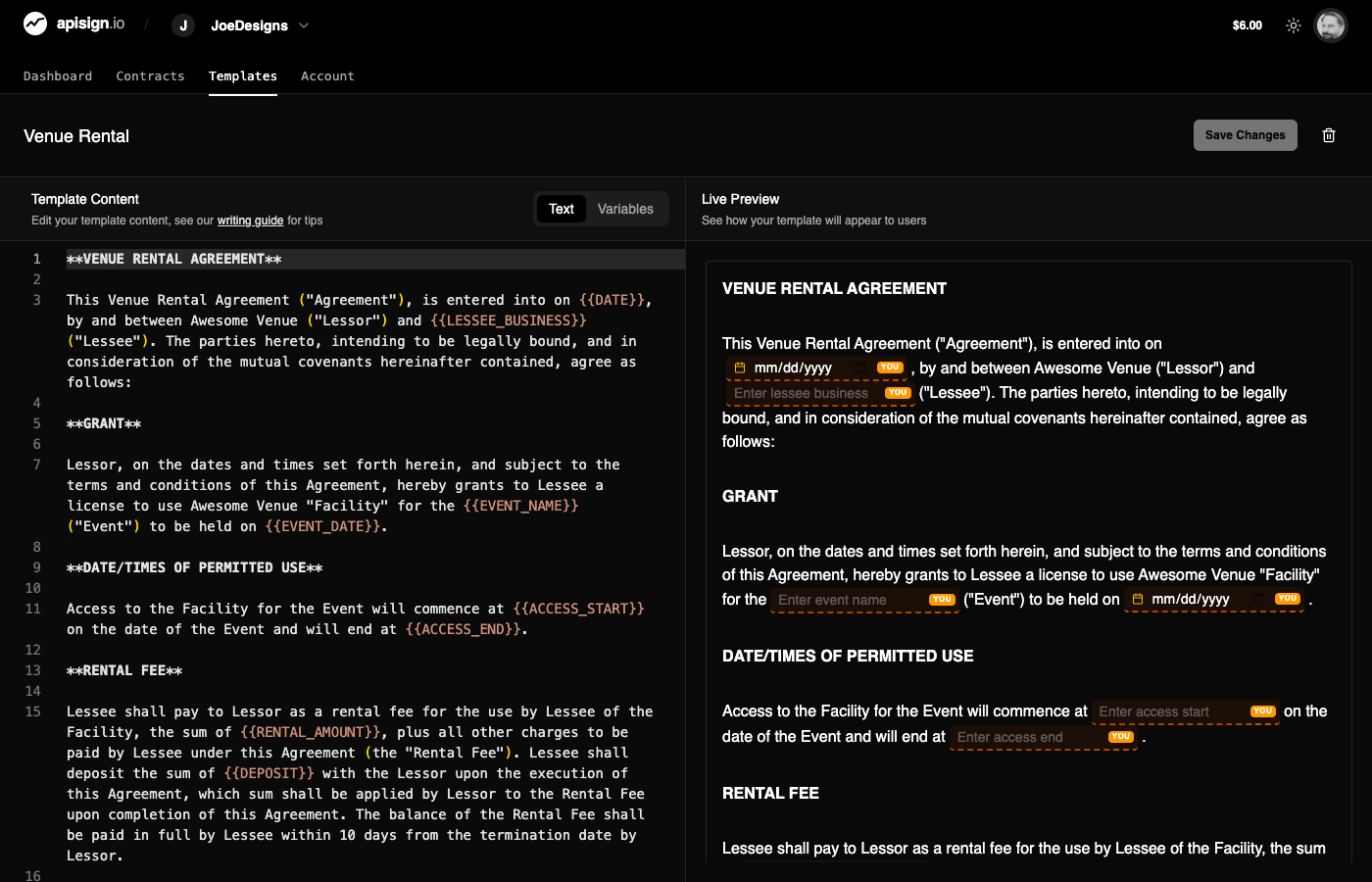
Templates use Markdown for formatting:
# Service Agreement

This agreement is between **{{client_name}}** and **{{provider_name}}**.

## Scope of Work

{{scope_description}}

## Payment Terms

- Total amount: {{total_amount}}
- Due date: {{due_date}}

---

**Client Signature:** {{client_signature}}

**Provider Signature:** {{provider_signature}}
Supported Markdown
- Headings:
#,##,### - Bold:
**text** - Italic:
*text* - Lists:
-or1. - Horizontal rules:
--- - Tables: Standard Markdown tables
Adding Variables
Variables are placeholders that get replaced when creating a contract. Use double curly braces:
{{variable_name}}Common variable examples:
{{client_name}}
{{client_email}}
{{contract_date}}
{{total_amount}}
{{project_description}}
Variable Names
Use snake_case for variable names (lowercase with underscores). Avoid spaces and special characters.
Adding Signature Fields
Signature fields are special variables that create interactive signature areas:
{{client_signature}}
{{provider_signature}}
When a signer views the contract, these become clickable signature fields.
Importing Word Documents
Already have contracts in Word format? Upload them directly:
- Click Import when creating a template
- Select your
.docxfile - The content is automatically converted to Markdown
- Edit as needed and add variables
Preview and Test
Before using a template:
- Click Preview to see how it renders
- Create a test contract with sample data
- Verify all variables display correctly
- Test the signature flow
Test First
Always test your template with a sample contract before sending to real clients.
Next Steps
- Template Variables - Learn more about variable types
- Creating Contracts - Generate contracts from templates