Template Variables
Variables are placeholders in your template that get replaced with actual values. They use double curly braces:
{{variable_name}}Variable Syntax
Use snake_case for variable names:
{{client_name}}
{{contract_date}}
{{project_description}}
{{client_signature}}
Naming rules:
- Lowercase letters and underscores only
- Start with a letter, not a number
- No spaces or special characters
Configuring Variables
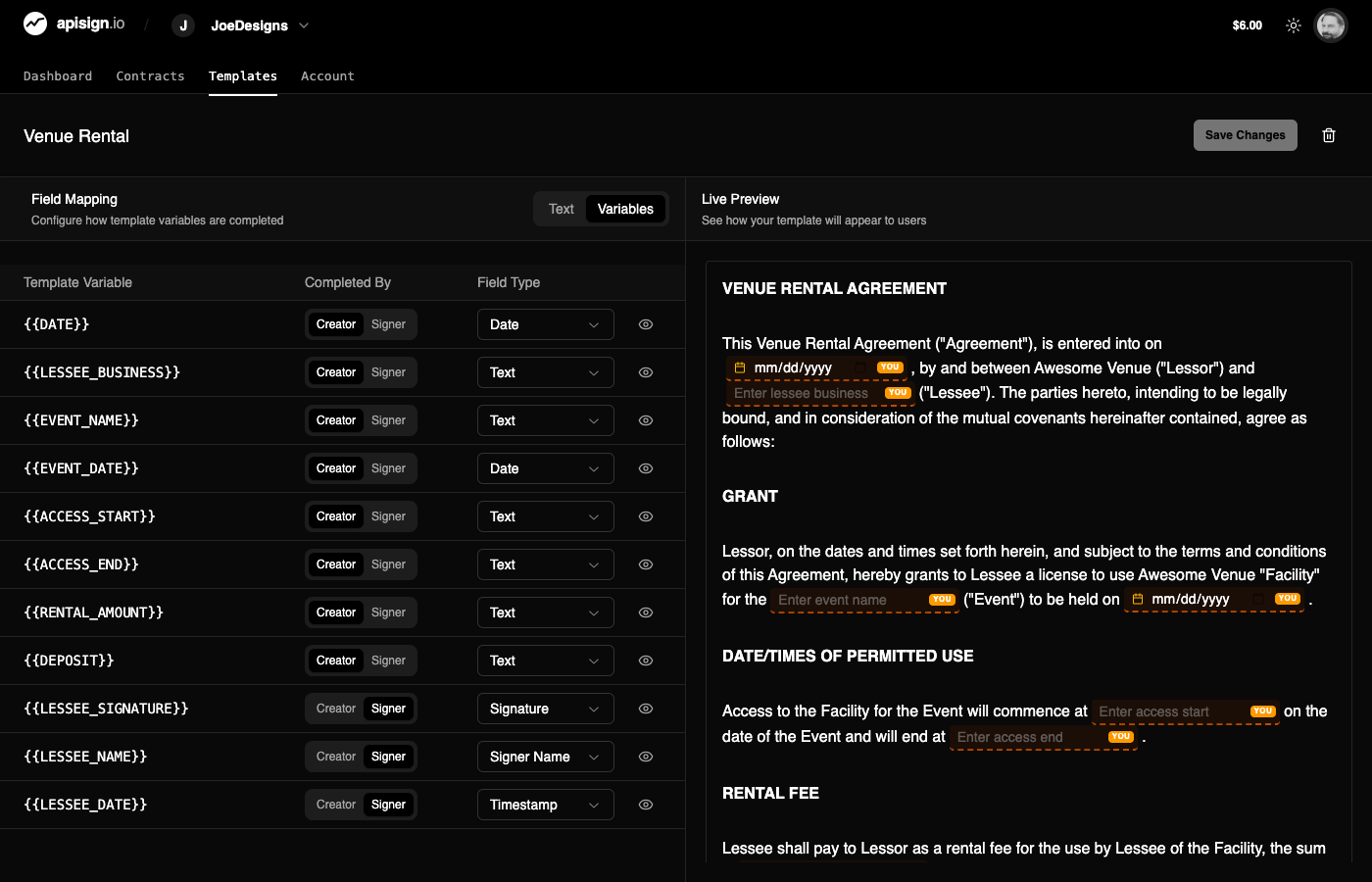
After adding variables to your template, click the Variables tab to configure how each variable behaves.
Completed By
Each variable is completed by either the Creator (when creating the contract) or the Signer (when signing).
| Completed By | When it's filled | Example variables |
|---|---|---|
| Creator | During contract creation | {{client_name}}, {{contract_date}}, {{total_amount}} |
| Signer | During signing | {{client_signature}}, {{signer_name}}, {{initials}} |
Field Types
The available field types depend on who completes the variable.
Creator field types:
- Text - General text input
- Email - Email address
- Phone - Phone number
- Date - Date picker
Signer field types:
- Signature - Signature capture field
- Initials - Initials field
- Signer Name - Auto-filled with signer's name
- Timestamp - Auto-filled with signing date/time
Common Variable Patterns
Contract details (Creator)
{{client_name}}
{{client_email}}
{{contract_date}}
{{project_description}}
{{total_amount}}
Signature fields (Signer)
{{client_signature}}
{{provider_signature}}
{{client_initials}}
{{witness_signature}}
Example Template
# Service Agreement

**Client:** {{client_name}}
**Email:** {{client_email}}
**Date:** {{contract_date}}

## Services

{{project_description}}

## Payment

Total: {{total_amount}}

---

**Client Signature:** {{client_signature}}

**Provider Signature:** {{provider_signature}}
Auto-Detection
API Sign automatically suggests field types based on variable names. Variables containing "signature" become signature fields, "email" becomes email fields, etc.
Next Steps
- Creating Templates - Build templates with variables
- Creating Contracts - Generate contracts from templates